

There are dozens of CRMs marketed to construction companies. They fall into four groups:
- Built for construction: ProjectMark, Unanet CRM, Followup CRM, TopBuilder. They already know what a bid, a GC, and a pursuit are. Higher price, usually quote only.
- General CRMs you set up yourself: HubSpot, Pipedrive, Salesforce, Zoho. Cheaper and flexible. Only as good as the setup.
- Built for homeowner leads: JobNimbus, GoHighLevel. Lead capture, texting, estimates, and fast follow-up for residential work.
- All-in-one platforms with a CRM built in: ServiceTitan, BuildOps, Buildertrend. They run the whole business, from estimating to scheduling to invoicing, and the CRM is part of that system.
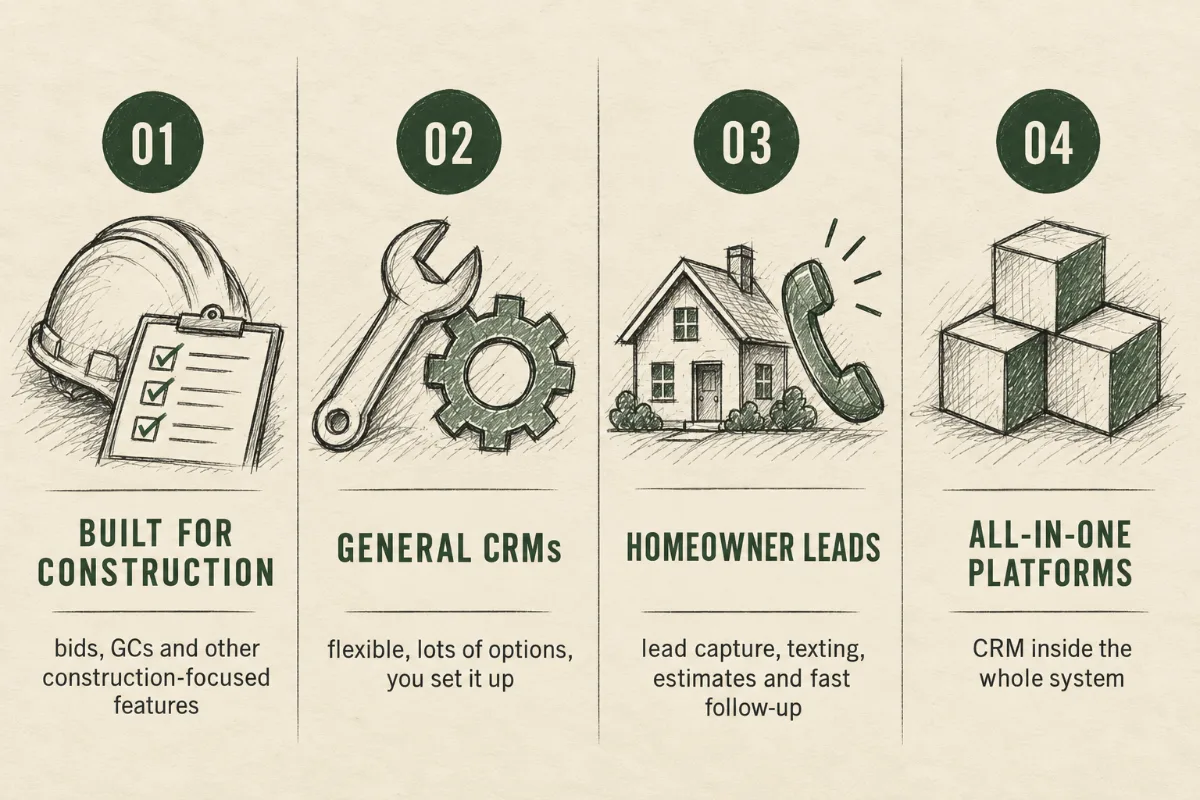
The right group depends on how you win work. Below are the 13 best CRMs by company type, plus a quick note on the tools a lot of contractors use as a CRM that aren’t one.
Disclosure: IdealRev is a sales and marketing firm for construction companies. We set up and run CRMs for our clients, we run our own business on HubSpot, and we’re an official ProjectMark partner. Pricing was checked on each vendor’s site in September 2026.
The short answer
- Commercial GCs and firms that win work through relationships: ProjectMark, or Unanet CRM if you have a proposal team
- Subcontractors and specialty trades that bid to GCs: Followup CRM or TopBuilder
- An affordable CRM you can set up your own way: HubSpot or Pipedrive
- Trade contractors that want one system for service, projects, and sales: ServiceTitan or BuildOps
- Residential and homeowner leads: JobNimbus for roofing and exteriors, GoHighLevel for fast lead follow-up, Buildertrend if you want project management in the same system
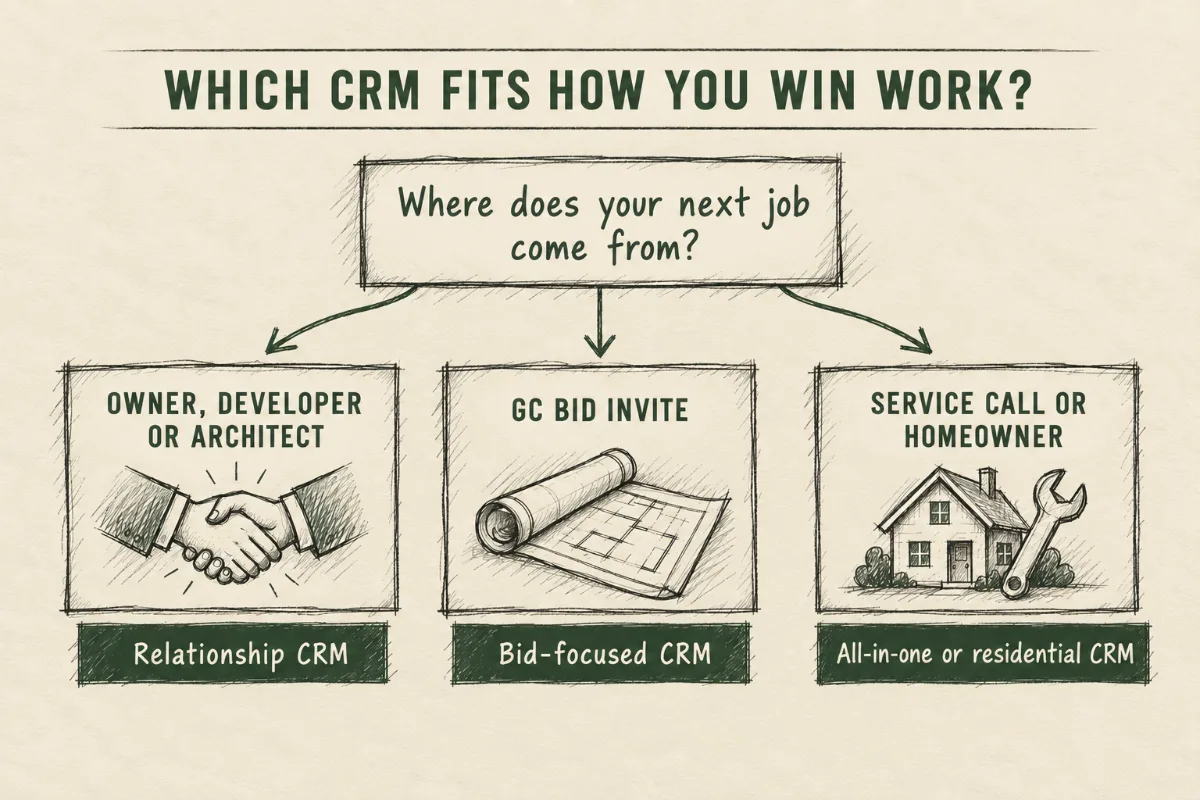
Start with where your work comes from
Feature lists all look the same. The question that actually sorts these tools is simple: where does your next job come from?
- An owner, developer, or architect you already know. You need to track people and conversations, often for months before there are drawings. This is a relationship pipeline.
- A bid invite from a GC. You need to handle volume, deadlines, and go/no-go decisions, and see which GCs actually award to you. This is a bid pipeline.
- A homeowner who filled out a form. You need speed. The first contractor to call back usually gets the appointment.
Most companies are a mix. Buy for the kind of work you want more of. A GC doing 70% public hard bid who wants more private negotiated work should pick a CRM built for relationships. The hard bid side is already tracked by plan rooms and bid boards. The negotiated side is the one living in the owner’s head and phone.
Construction CRM comparison at a glance
| CRM | Best for | Starting price (Sept 2026) |
|---|---|---|
| ProjectMark | Commercial GCs and specialty contractors that win work through relationships and want a modern, AI-enabled CRM built for construction | Quote only (implementation included) |
| Unanet CRM by Cosential | Larger GCs and CMs with a marketing or proposal team answering RFQs and SOQs | Quote only |
| Followup CRM | Subs and specialty trades with an estimating team of five or more and steady bid volume | $99/user/mo billed annually, 5-user minimum |
| TopBuilder | Subs and GCs handling a high volume of bid invites who need help deciding what to price | Quote only |
| HubSpot | Small to mid-size construction companies that want an affordable CRM with room to grow into email marketing and their website | Free; Starter under $20/seat/mo |
| Pipedrive | Small teams that want a simple, visual sales pipeline owners and estimators will actually use | $14/seat/mo billed annually |
| Salesforce | Large contractors with IT support or an admin who need a highly customized system | $25/user/mo (Starter Suite) |
| Zoho CRM | Budget-conscious teams comfortable setting up and configuring their own CRM | Free up to 3 users; $14/user/mo |
| ServiceTitan | Trade contractors doing both service and project work who want sales, operations, and service in one system | Quote only (per technician) |
| BuildOps | Commercial service contractors (HVAC, electrical, plumbing, fire) with service agreements across many properties | Quote only |
| Buildertrend | Residential builders and remodelers who want sales and project management together | Quote only |
| JobNimbus | Roofing, restoration, and exterior contractors selling to homeowners | Quote only |
| GoHighLevel | Home services contractors that need fast lead follow-up with texting, forms, and automations | $97/mo |
Best CRMs for commercial GCs and relationship-driven firms
These are for companies whose best work comes from owners, developers, architects, and repeat clients, and who need to know who they’ve talked to, when, and what’s coming.
1. ProjectMark
Built for: General contractors, specialty contractors, and architecture and engineering firms.
ProjectMark is the newer, AI-first option built specifically for commercial construction, and it’s moving fast. The team ships updates constantly, and AI is built into how you use it day to day, not added on later.
The core is what a commercial BD team needs: an opportunity pipeline with revenue forecasting, and a history of every touchpoint with a contact across all the projects they’re involved in. That matters in commercial work, where the same developer or architect shows up on project after project.
The AI features are what make people actually use it. You can log notes by voice from the truck, scan and enrich a business card after a meeting, and capture activity from Outlook with a plugin. It also has MCP Connect and an open API, so you can connect AI assistants like Claude or ChatGPT to your CRM data and ask questions like “which developers haven’t we talked to in 90 days?”
It integrates with Procore, Vista, BuildingConnected, and Adobe InDesign, though those integrations are paid add-ons.
Pricing: Quote only. Plans are sized by team: Starter (up to 6 users), Scale (up to 10), and Enterprise (10+). Implementation is included in every plan.
Best if: Your BD runs on relationships and you want a modern, AI-enabled CRM that already understands construction.
Watch out for: No public pricing, and integrations cost extra.
2. Unanet CRM by Cosential
Built for: Architecture, engineering, and construction firms, especially larger ones.
Cosential, now called Unanet CRM by Cosential, is the established option. It’s been one of the most common CRMs at larger commercial contractors for years, and its strength is proposals. It stores your project history, employee resumes, and qualifications, then pulls them into proposals. It also tracks pursuits, captures relationships from Outlook, and integrates with Viewpoint, Procore, Sage, and Trimble.
For a firm answering RFQs and SOQs every week, the painful part is rebuilding the same project sheets and resumes for every pursuit. That’s where Unanet earns its price.
The tradeoff is age. Unanet has added AI agents recently, but the product is built on an older foundation and feels heavier than newer tools. If you’re choosing a system for the next ten years, ask how often it ships meaningful updates and how the AI features fit into daily use.
Pricing: Quote only. Positioned as an enterprise product.
Best if: You’re a larger GC or CM with a marketing coordinator or proposal team.
Watch out for: It’s more system than a 20-person contractor needs, and the pace of product improvement is worth asking about in the demo.
Best CRMs for subcontractors and specialty trades that bid to GCs
These are for subs and specialty trades whose work mostly comes from GC bid invites. The job here is handling bid volume and deadlines, deciding what to price, and knowing which GCs actually award work to you.
3. Followup CRM
Built for: Construction contractors, with its entry plan aimed at specialty subs and small teams.
Followup CRM includes bid management and proposals on every plan, alongside a standard sales pipeline, automations, and dashboards. It’s one of the few CRMs where the bid is treated as a core part of the sales process.
Pricing: Starter is $99 per user per month billed annually ($119 monthly). Professional is $149 annually ($179 monthly). Both have a 5-user minimum. One-time onboarding is $2,500 for Starter and $5,000 for Professional. Enterprise is a $4,000 monthly platform fee plus $125 per user.
Real first-year cost on Starter: 5 users × $99 × 12 = $5,940, plus $2,500 onboarding, so about $8,440 before anyone logs a single bid.
Best if: You have an estimating team of five or more and steady bid volume.
Watch out for: The minimum seats and onboarding fee make it expensive for a three-person shop.
4. TopBuilder
Built for: General contractors, specialty and trade contractors, and their finance teams.
TopBuilder is built around bids. It pulls invites from multiple bidding sites into one place and scores bids by job type and profitability, so you can see which ones are worth pricing. It also tracks contacts and opportunities, handles quoting and proposals, and has reporting dashboards. The integration list is strong: Procore, BuildingConnected, Sage (100, 300, and Intacct), Viewpoint Spectrum, Acumatica, STACK, and B2W.
Use the scoring to formalize your go/no-go. If your estimators are pricing everything that comes in, they’re spending hours on jobs you had little chance of winning.
Pricing: Quote only.
Best if: Your problem is too many invites and not enough time to decide which ones to chase.
Watch out for: No public pricing.
Whichever one you pick, set it up for one project, many GCs. When a project goes out to bid, a sub might price it to four, five, or six GCs. Only one of them wins the job. A generic CRM will show five deals at $2M each and tell you there’s $10M in your pipeline. There isn’t. There’s one $2M project with five ways in.
Whatever CRM you use has to group GC bids under one project, or you have to set it up that way. Then track two numbers:
- Hit rate by project: how many projects you priced vs. how many you got
- Hit rate by GC: which GCs actually award work to you
The second number is the one most subs never look at. It shows you which GCs you have real relationships with and which ones are just using your number to check their pricing. Put your BD time into the first group and start being more selective with the second.
General CRMs you can set up for construction
These don’t know what a bid is out of the box. They’re cheaper, flexible, and widely used, and how well they work depends almost entirely on how they’re set up. A general CRM set up for construction beats a construction CRM nobody uses.
5. HubSpot
Built for: B2B companies of any size.
HubSpot’s biggest strengths are cost and scalability. The free plan is real, Starter is cheap, and the same platform handles email marketing, forms, and your website when you’re ready to build a real marketing effort, so you never have to move platforms. It’s easy to use once it’s set up, but it has a lot of features, and most contractors need a small slice of them.
Pricing: Free for up to 2 users. Starter is under $20 per seat per month. Professional is $90 to $100 per seat per month plus a $1,500 onboarding fee.
Best if: You want an affordable CRM that can grow into marketing, and you’re willing to set it up for how construction works.
Watch out for: Some features push you into Professional or higher, where costs jump. There’s no native Procore or BuildingConnected connection.
We run IdealRev on HubSpot. For the full breakdown, read our HubSpot construction CRM review and setup guide.
6. Pipedrive
Built for: Small sales teams.
Pipedrive is a clean, visual pipeline. It’s one of the easiest CRMs to get owners and estimators to actually use, because there isn’t much to learn.
Pricing: Billed annually per seat per month: Lite $14, Growth $39, Premium $59, Ultimate $79.
Best if: You have a small team and want a simple pipeline and nothing else.
Watch out for: No construction-specific features, and lighter on marketing than HubSpot.
7. Salesforce Sales Cloud
Built for: Mid-size and enterprise companies.
Salesforce can be built to do almost anything, and there’s a large ecosystem of add-ons and consultants. That flexibility is the reason big contractors use it and the reason small ones struggle with it.
Pricing: Starter Suite $25 per user per month. Pro Suite $100 per user per month on an annual contract. Enterprise tiers run higher.
Best if: You’re a large contractor with IT support or a dedicated admin.
Watch out for: Plan on paying someone to set it up and maintain it.
8. Zoho CRM
Built for: Small and mid-size businesses.
Zoho is the cheapest way to get a configurable CRM, and it connects with the rest of the Zoho suite if you already use Zoho Books or other Zoho apps.
Pricing: Free for up to 3 users. Billed annually per user per month: Standard $14, Professional $23, Enterprise $40, Ultimate $52.
Best if: Budget is the deciding factor and you’re comfortable doing your own setup.
Watch out for: Generic, with few construction-specific integrations.
All-in-one platforms with a CRM built in
These platforms run the whole business: estimating, scheduling, dispatch, projects, and invoicing, with a CRM as part of the package. The upside is real. A won job turns into a project without anyone re-entering it, sales and operations work from the same customer record, and there’s one less system to pay for and integrate.
The tradeoffs are worth thinking through:
- You’re buying the platform, not just the CRM. Pricing is built around the whole system, so it only makes sense if you’ll use the rest of it.
- The CRM follows the platform’s main workflow. If that workflow matches how you sell, the built-in CRM is usually good enough, and for a lot of contractors it is. If much of your growth comes from long relationship-driven BD with GCs and developers, test how it handles opportunities before there’s an estimate or a job location.
- Switching later is a big project. You’re moving your whole operation, not just a contact list.
9. ServiceTitan
Built for: Residential and commercial trade contractors, including commercial mechanical, electrical, plumbing, HVAC, and fire and life safety.
ServiceTitan is best known for running service businesses, and it has a dedicated CRM for project work built into the platform. Sales teams create opportunities in a project pipeline with ballpark values early on. If someone starts estimating without creating an opportunity first, ServiceTitan creates one in the background so the pipeline stays accurate. When a bid is lost, reps pick a reason (pricing, scope, competitor), which builds a real win/loss picture over time. When an estimate is sold, the opportunity closes and a project is created automatically with all the details carried over. Finished installs flow into service agreements, and built-in dashboards cover weekly sales meetings, win/loss, and rep performance.
Pricing: Quote only, priced per technician.
Best if: You’re a trade contractor doing both service and project work and want sales, operations, and service in one system.
Watch out for: It’s a full platform decision, not a CRM add-on.
ServiceTitan is a partner on our podcast.
10. BuildOps
Built for: Commercial HVAC and mechanical, electrical, plumbing, fire and life safety, and refrigeration contractors.
BuildOps is an operating platform for commercial service contractors with sales and CRM built in, plus a CRM+ add-on. It has a pipeline with weighted forecasts, quotes that turn into proposals with e-signature, and won deals that convert directly into projects or service agreements.
It organizes customers by property, with equipment and service history for each site. That matters when a property manager oversees 30 buildings and winning the next one depends on the work you did at the last one.
Pricing: Quote only, based on crew size, trades, and features.
Best if: Commercial service work is the core of your business.
Watch out for: Built for service contractors, so it’s the wrong fit for GCs.
11. Buildertrend
Built for: Residential builders and remodelers.
Buildertrend is project management software for residential construction with lead tracking, proposals, and a client portal built in. For a remodeler or home builder whose leads are homeowners, that’s usually all the CRM you need, and it keeps the sale and the job in one place.
Pricing: Quote only, with unlimited users and projects.
Best if: You build or remodel for homeowners and want sales and project management together.
Watch out for: Built around homeowner clients, so it doesn’t fit selling to GCs, developers, or property managers.
Best CRMs for residential and homeowner leads
If most of your revenue comes from homeowners and you don’t need a full platform, these two are built for speed to lead and fast follow-up.
12. JobNimbus
Built for roofing, restoration, solar, gutter, and siding contractors. Contacts, job boards, and automations are set up around how exterior contractors sell. Plans are quote only and sized by number of users. A strong fit for exteriors, and not built for commercial work.
13. GoHighLevel
A marketing and CRM platform built for agencies, commonly used for home services lead follow-up with texting, forms, pipelines, and automations. Starter is $97 per month and Unlimited is $297 per month, both with unlimited users and contacts. There’s no bid or GC tracking, so it doesn’t fit commercial BD.
Tools people use as a CRM that aren’t one
A lot of contractors run BD out of tools built for something else. Procore is project management software; its preconstruction tools handle bid management, but it doesn’t track the owner, developer, and architect relationships that lead to new work. BuildingConnected and Bid Board Pro organize bid invites well, but they only know about a project once an invite exists. And Outlook plus a spreadsheet works until the person who kept it leaves and takes the relationships with them. All of these are worth keeping. They just work best next to a CRM, not in place of one. For a lot of subs, Bid Board Pro for invites plus a simple CRM like HubSpot or Pipedrive for relationships is the right setup.
Why construction CRMs fail, and how to keep yours alive
Most CRMs in construction don’t fail because the software was wrong. They fail because nobody uses them after month two. Here’s what we see most.
The owner is the CRM. In most construction companies, the important relationships live in the owner’s phone and inbox. When an estimator or PM leaves, their GC contacts leave with them. Getting those relationships out of people’s heads and into a system is the biggest payoff of a CRM, and it’s the thing nobody puts on a feature list.
Keep it to five fields. If logging a call takes more than 30 seconds, it won’t happen. Start with company, contact, project, stage, and next step with a date. Add fields later only when someone asks for a report that needs them.
Log where the work happens. Your team lives in Outlook and on their phones. Pick a CRM with an email plugin and a mobile app that works in a truck. Voice notes help a lot.
Give it one owner and one meeting. One person owns data quality. The team reviews the pipeline for 20 minutes once a week. Every open opportunity gets a next step and a date, or it gets closed out.
How to choose a construction CRM
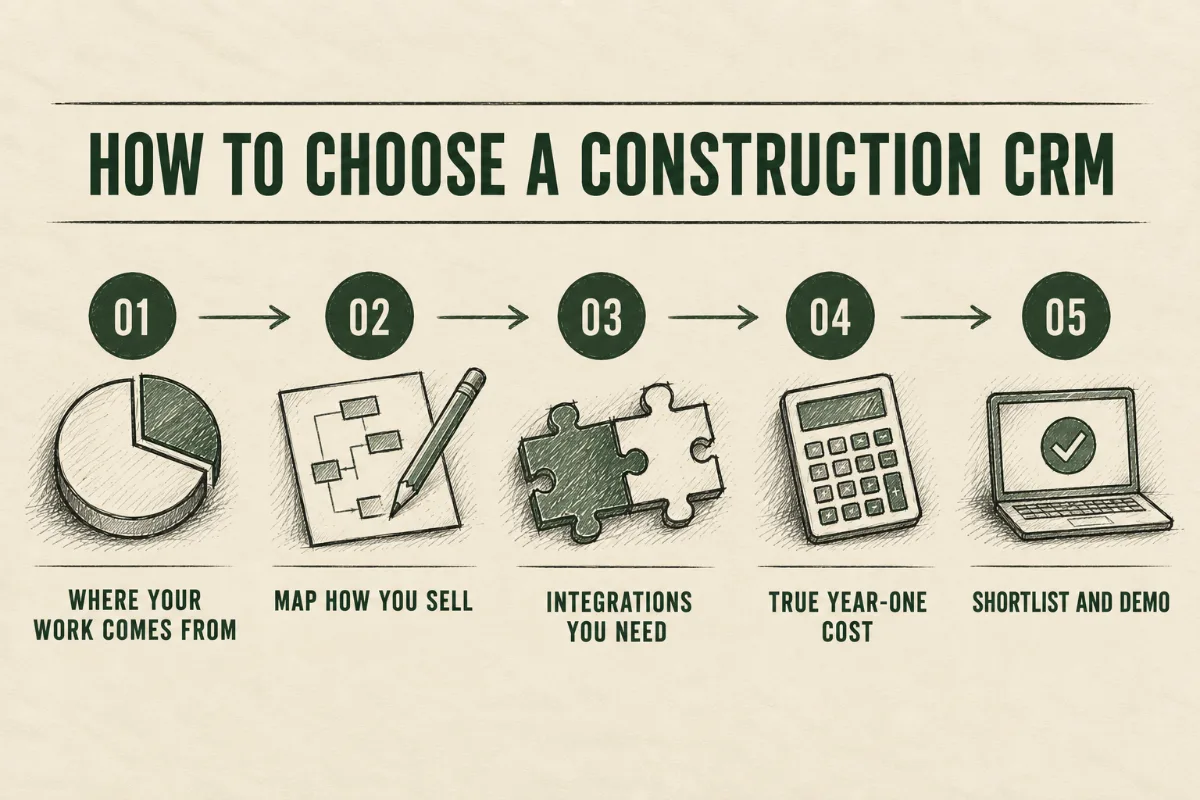
The biggest mistake is shopping for software before you know how you want to sell. A CRM runs your sales and marketing plan. If there’s no plan, you end up with an expensive contact list. Get clear on these first, then go look at demos.
1. Look at where last year’s revenue came from. Break it out by owner/developer, GC, property manager, and homeowner. That tells you which category above you belong in, and where you want more of your work to come from.
2. Map out exactly how you sell before you buy. Write down your sales and marketing plan in plain terms:
- Who you’re going after: the types of owners, developers, GCs, or property managers you want more work from
- How you reach them: outbound calls and emails, bid invites, LinkedIn, events, referrals, email marketing, your website
- Your pipeline stages: for a sub bidding to GCs, something like invite received → go/no-go → pricing → submitted → scope review → awarded or lost. For a GC doing negotiated work: relationship → early conversation → budget and precon → proposal → negotiation → awarded.
- Who does what: who owns BD, who estimates, who follows up, and what each person needs to see
- What you want to measure: hit rate, hit rate by GC, pipeline value by stage, where your best work came from
From that, make a short list of the features you actually need and the ones you don’t. That list is what you take into every demo. If a CRM can’t support your plan without a fight, move on. If it has 40 features that aren’t on your list, you’re probably paying for them.
3. List the integrations you can’t live without. Usually email (Outlook or Gmail), accounting (QuickBooks, Sage, or Vista), project management (Procore), and bids (BuildingConnected). Ask whether each one is included or a paid add-on.
4. Price out year one honestly. Seats × monthly price × 12, plus onboarding fees, plus integration add-ons, plus the hours your team will spend setting it up. A “$99 per user” CRM with a 5-seat minimum and onboarding fee is an $8,000+ decision.
5. Shortlist two or three and run real demos. Use your research and your feature list to narrow it to two or three options. More than that and every demo starts to blur together. Then evaluate them like you’d evaluate a sub you’ve never worked with:
- Send your plan ahead of the demo. Ask them to show you your pipeline and your workflow, not their standard slide deck. If they can’t show how it handles the way you actually sell, that tells you something.
- Make sure they understand construction. Ask how they’d handle one project going to five GCs, or a developer relationship that takes a year before there’s a bid. A rep who knows the industry will have an answer. One who doesn’t will pivot to features.
- Talk to references that look like you. Ask for two or three customers of similar size and trade. Ask them how long setup really took, whether the team still uses it, what they’d change, and how support has been since they signed.
- Ask who sets it up and what happens after. Is onboarding included, who does the work, how long does it take, and what does support look like in month six?
- Get the full price in writing. Seats, minimums, onboarding, integrations, and what happens to the price at renewal.
AI tools like Claude can now handle a lot of the setup work: cleaning up a contact spreadsheet before import, building your properties and pipeline stages, and writing the email templates your team will use. What used to take a consultant weeks can take days.
Construction CRM FAQ
What is the best CRM for construction companies?
It depends on how you win work. Commercial GCs and relationship-driven firms do well with ProjectMark or Unanet CRM. Subcontractors and specialty trades that bid to GCs should look at Followup CRM or TopBuilder. Small teams on a budget can set up HubSpot or Pipedrive. Trade contractors that want one system for service and projects should look at ServiceTitan or BuildOps. Residential contractors usually choose Buildertrend, JobNimbus, or GoHighLevel.
What’s the difference between a construction CRM and project management software?
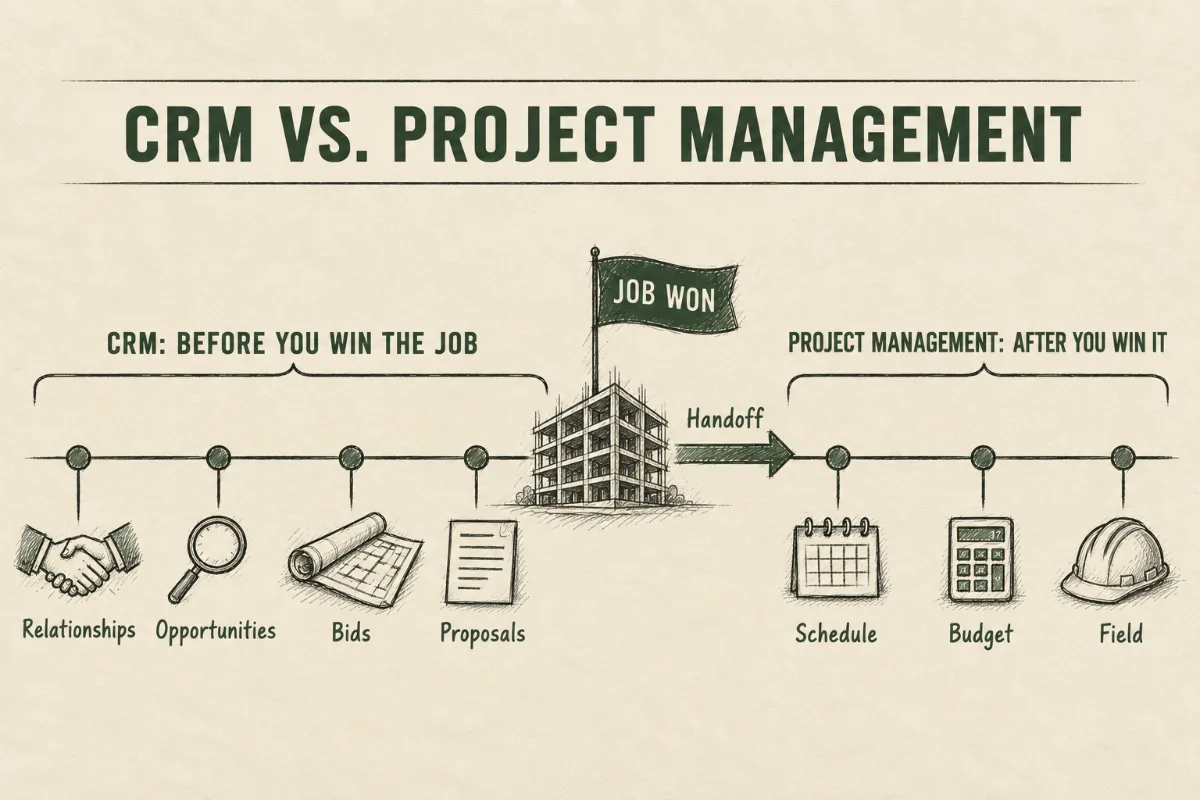
A CRM covers everything before you win the job: relationships, opportunities, bids, and proposals. Project management software like Procore covers the job once you’ve won it. The handoff between the two is where data gets re-entered by hand, so check how a CRM passes a won job into your project management and accounting systems.
Is Procore a CRM?
Procore is project management software. Its preconstruction tools handle bid management and estimating, but it isn’t built to track the owner, developer, and architect relationships that lead to new work. Most contractors on Procore use a separate CRM and connect the two.
How much does a construction CRM cost?
General CRMs like HubSpot, Pipedrive, and Zoho range from free to about $20 per user per month at entry level. Construction-specific CRMs like Followup CRM run about $99 to $149 per user per month with onboarding fees. ProjectMark, Unanet CRM, TopBuilder, and all-in-one platforms like ServiceTitan and BuildOps quote pricing directly.
Is HubSpot a good CRM for construction?
It can be, if it’s set up for how construction sells. It’s affordable and scales into marketing, but it doesn’t understand bids out of the box. Our HubSpot construction CRM review covers when it’s the right call and when it isn’t.
Do I need a CRM if I get my bids through BuildingConnected?
BuildingConnected tracks bid invites. It doesn’t track the relationships that get you invited, or the owners and developers you could be working with directly. Most subs that get serious about BD pair a bid board with a CRM.
What CRM do commercial subcontractors use?
Common choices are Followup CRM and TopBuilder for bid-heavy subs, and HubSpot or Pipedrive set up to group GC bids under one project. Trade contractors that do service and project work often use the CRM built into ServiceTitan or BuildOps.
Pick the one your team will use
The best construction CRM is the one that matches how you win work and that your team will still be using six months from now. Pick the category, compare two or three options, and spend more time on setup than on the demo.
If you want help picking a CRM or setting it up for how your company sells, that’s what our construction CRM consulting is for.