
Construction Website Design: A Simple Guide To Win More Proejcts
If you’re planning to revamp your construction company website this year, chances are you’ll want to hire a marketing agency to help, ideally one that understands the construction industry, like we do. But even more important than choosing the right partner is making sure you’re prepared to manage the process on your end.
Here’s the reality: most construction websites underperform not because of bad design or weak copy, but because they’re missing the content that actually builds trust and shows off your work. A great agency can build the structure but they still need the materials. That means you’ll need to have project photos, team pictures, testimonials, and a clear sense of which projects you want to highlight.
Start gathering content now, even if you’re months away from a redesign. Snap photos of your team at job sites and company outings. Capture progress shots on your projects, especially before-and-afters. Don’t wait for one big “content day.” The best websites are built with small moments that tell a bigger story.
1. Start With the Essentials
Before you worry about fancy animations or custom code, make sure your website nails the basics. The goal is to make it easy for potential clients, property managers, developers, GCs, or brand reps to understand what you do, who you work with, and why they should trust you.
In fact, simpler is often better. You don’t need a flashy site with constant movement and effects. What your visitors really care about is finding the information they need fast. Clean layouts, good photos, and straightforward messaging will always beat overly designed pages that take forever to load or are hard to navigate.
Here’s what every construction company website needs at a minimum:
- Clean Navigation
Stick to the classics: Home, About, Projects, Services, and Contact. If you want to get fancy later, you can. But clarity beats creativity when it comes to navigation. - Mobile-Friendly Design
A lot of your site traffic will come from phones, especially people checking your site after a meeting or referral. Your site should look great and load fast on mobile. - Clear Value Prop (Above the Fold)
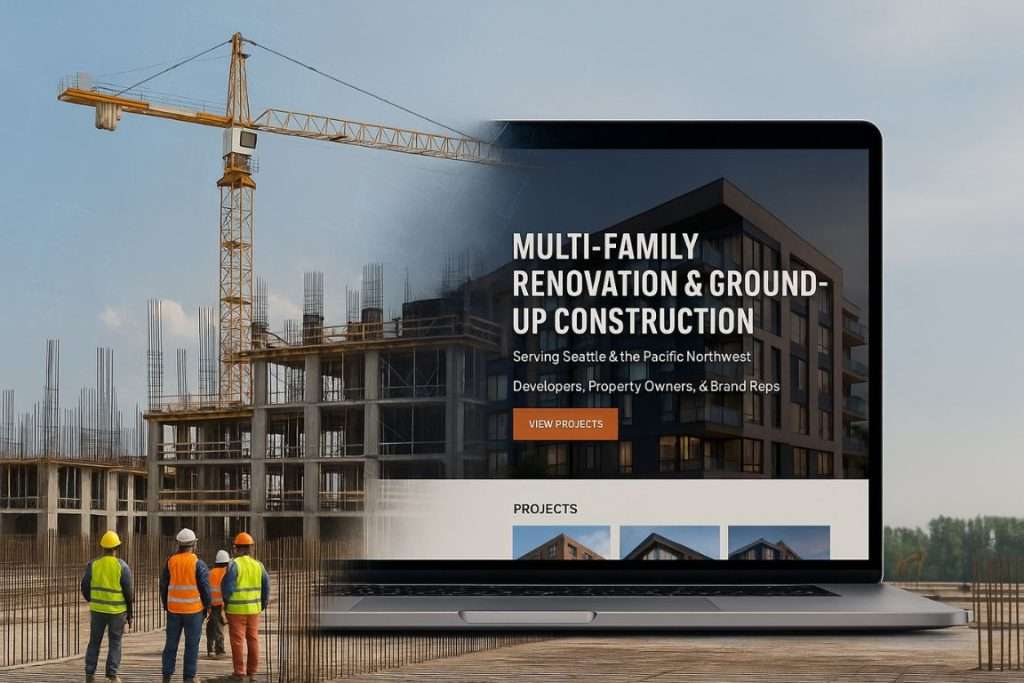
Within seconds of landing on your site, a visitor should know:- What you do (e.g. “Multi-Family Renovation & Ground-Up Construction”)
- Where you operate (e.g. “Serving Seattle & the Pacific Northwest”)
- Who you work with (e.g. “Developers, Property Owners, & Brand Reps”)
If someone has to scroll to figure that out, you’re already losing them.
2. Prioritize Visuals
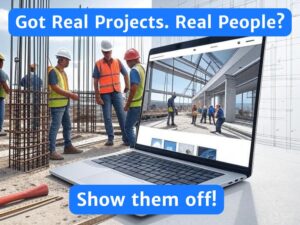
When it comes to construction websites, showing is more powerful than telling. The difference between a mediocre site and a standout one often comes down to the quality and quantity of visuals.
Too many contractors rely on a few grainy site photos or stock images that don’t reflect the actual work they do. In 2025, people want to see real projects, real people, and real craftsmanship.
Here’s what to focus on:
- High-Quality Project Photos
Invest in good photography. Even a decent phone camera can do the trick if you’re thoughtful with lighting and angles. Prioritize wide shots, key details, and finished spaces. - Before-and-Afters
These are gold, especially for renovation-focused GCs. They quickly show the scope of transformation and help clients visualize what you can do for them. - Progress Shots
Don’t wait until a job is finished. Show your work in motion. These build credibility and let clients see how you operate behind the scenes. - Team & Culture Photos
Snap shots of your crew at work, team outings, and jobsite walk-throughs. These humanize your company and build trust. - Optional but Powerful: Video
A short walkthrough, a drone flyover, or even a quick team intro video can go a long way. It doesn’t need to be overproduced, just authentic.
Bottom line: clients want to see who you are and what you’ve built. Don’t make them guess.
3. Highlight Key Projects (and Build Out Your Full Portfolio)
One of the biggest missed opportunities we see on construction websites? Not showcasing your work effectively.
Put this your projects front and center! This is your proof that you can do theirs.
You should have two levels of project content:
- Flagship projects that represent your core industries or service areas
- A comprehensive portfolio to back it all up and show your range
Here’s how to think about it:
Flagship Projects (Front and Center)
Feature 3–6 standout projects from each major sector you work in, whether that’s multifamily, commercial TI, healthcare, or ground-up. These should be the jobs you’re most proud of and the types of projects you want more of.
Each one should include:
- Strong visuals (final shots and progress if possible)
- A short summary: project type, location, client (if public), scope, and any highlights or challenges
- A testimonial, if available
These should live prominently on your homepage, services pages, or in a featured case studies section.

Full Project Portfolio (For Depth and Credibility)
Once you’ve drawn people in with your highlight reel, give them the full picture. Build out a dedicated portfolio or “All Projects” page that includes as many completed jobs as possible.
Even if you don’t have great photos for every job, a simple list goes a long way. Include:
- Project name
- Location
- Client or GC
- Scope of work
- Completion date
- Project value or size (if appropriate)
This kind of depth builds credibility, especially when clients see you’ve consistently delivered across dozens (or hundreds) of jobs.
4. Build Credibility
You can tell people you’re reliable, experienced, and easy to work with, but it means a lot more when your clients, partners, and track record say it for you.
Your website should showcase everything that builds trust. Not just beautiful work, but proof that you’re a professional operation people enjoy working with.
Here’s how to do it:
- Client Testimonials
A short quote from a happy client can carry more weight than paragraphs of marketing fluff. If possible, tie testimonials to specific projects and include the client’s name, company, and role. - Certifications & Safety Stats
Show you’re serious about the details. If you’re OSHA certified, LEED accredited, or hold other credentials, display them. Same goes for EMR rates, safety awards, or training programs. - Awards & Press Features
Been recognized by an industry publication or local business group? Won a design or safety award? These help position you as an established, respected player. - Partnership Logos
Highlight key relationships, whether with GCs, developers, subcontractors, or brands you regularly work with. A “Who We Work With” section featuring logos is a quick way to show alignment with reputable companies. - Case Studies or Project Spotlights
Want to go beyond the testimonial? Walk visitors through how you approached and delivered a complex project. These double as sales tools during the bidding process.
Bottom line: credibility wins jobs. Make it easy for visitors to trust you before they even pick up the phone.
5. Introduce the Team
Construction is a relationship-driven business. People want to know who they’re working with not just what you build. A strong “About” or “Team” page helps humanize your company and builds trust early in the sales process.
Here’s how to do it right:
- Start with Leadership or Key Roles
You don’t need to list every field crew member (unless that’s your style), but you should feature your leadership team and anyone clients are likely to interact with PMs, estimators, superintendents, etc. - Include Headshots + Bios
Keep it professional but approachable. Bios don’t need to be long, just enough to show experience, certifications, and what makes that person good at their job. Bonus points if you mention what they enjoy outside of work to make it more personal. - Show Team Culture
Don’t stop at headshots. Add a few candid or group photos, jobsite walk-throughs, company outings, training days. These give potential clients (and hires) a feel for your company’s vibe. - Optional: Founder’s Story or Company History
If you’ve got a strong backstory or multi-generational legacy, this is a great place to share it. Just keep it concise and relevant.
Why it matters: people hire people. If your team looks sharp, experienced, and approachable, it makes it that much easier for someone to reach out.
Here is an example from our friends at Rudolf Construction, a commercial general contractor based in Virginia, serving Virginia Beach, Christiansburg and surrounding areas.

6. Optional Enhancements That Make a Big Difference
Once you’ve nailed the essentials, strong visuals, clear messaging, and a professional team presence,you can start layering in extra details that elevate your site and show you’re a cut above the rest.
These aren’t must-haves, but they go a long way in setting your company apart.
- Core Values & Mission Statement
Especially important if you want to attract not just clients, but talent. A short, punchy values section shows what drives your business beyond the build. - Community Involvement
If you sponsor local events, support causes, or do volunteer work, highlight it. It shows you care about more than just your bottom line. - Service Area Map
If you work across multiple cities, regions, or states, a visual map helps clarify where you operate, especially for out-of-town clients. - Individual Service Area Pages
If you’re trying to rank on Google for work in specific cities or regions (e.g., “General Contractor in San Diego”), dedicated service area pages are a smart SEO play. Just make sure each one has unique content and relevant project examples in that area. - Downloadable Capability Statement or Project Sheets
Give prospects something they can download and forward internally. A one-pager with your services, past projects, and key stats makes the buying process easier. - FAQ Section
A quick way to answer common questions (e.g., “Do you offer design-build?” or “What size projects do you take on?”) and reduce friction before someone reaches out. - Hiring Page
If you’re actively growing, make it easy for good people to find you. A “Careers” or “Work With Us” page shows you’re serious about building a strong team.
7. How Much Should a Construction Website Cost?
Prices for a construction company website run from close to free to $50,000 or more. Here is what you actually get at each level, and when each one makes sense.
- Under $500: DIY or AI-Built
You can build a site yourself on Wix or Squarespace, or have an AI tool generate one, for almost nothing. We don’t recommend it. These sites look like every other site made the same way, and nobody is there to tell you what belongs on it, what to cut, or how a developer or GC will read it. If you have no site at all, it beats nothing. Plan to replace it. - $500 to $1,500: Basic Template Build
A freelancer drops your logo, photos, and a services list into a template. Design is basic and it usually shows. Content is whatever you hand over. This works for a brand-new sub that needs a place to send people and has no projects to show yet. - $3,500 to $5,000: Solid Design, Your Content
This is the value tier. You get a clean, professional design that looks like a real company, built to work on a phone, with the pages structured properly. What you don’t get is help with content. You supply the project photos, the writing, the testimonials, and the project details. If you have that material ready and someone on your team who can write, this tier goes a long way. - $5,000 to $15,000: Built by People Who Know Construction
This is where the site gets built around how buyers actually check you out. Someone who understands the industry works with you on which projects to feature and why, writes the content, organizes projects by market and size, pulls together client quotes with real names, and builds a capability statement people can forward. Most of the cost is the content and the project data, not the design. This is the right tier for an established company going after bigger clients or a new market. - $15,000 to $50,000 and Up: Custom Everything
Custom development, custom photography and video, dozens of project pages, integrations with your other systems. Most construction companies don’t need this. It makes sense for a large firm where the site does heavy lifting across recruiting, prequal, and multiple markets, and the extra spend pays for itself.
What moves the price
Four things drive cost at any tier: how many pages you need, how much of the content someone else has to write, whether your project information exists anywhere usable today, and photography. Design is rarely the expensive part.
What to pay at each stage
| Where you are | What to spend |
|---|---|
| Just starting out, a few projects to show | $500 to $1,500, and upgrade later |
| Established, with a portfolio and someone in-house who can write | $3,500 to $5,000 |
| Established and chasing bigger work, new clients, or a new market | $5,000 to $15,000 |
| Large, multi-market firm | $15,000 and up, if you can point to what the site has to do to justify it |
One thing stays true at every price. Spending more buys better design and photography. It does not buy a client quote with a name on it, a project value, or a person on the contact page. Those are free, and they do more to win work than anything you pay for.
Your Website Is More Than a Brochure
At the end of the day, your website isn’t just a box to check, it’s a sales tool, a credibility builder, and often your first impression.
Whether you’re going after larger clients, bigger projects, or simply want to look like the professional operation you already are, a well-built site can help you get there. But it only works if you put in the effort to make it real: real projects, real people, and real proof of the work you’ve done.
Start gathering content now, photos, testimonials, team info, project stats, so when you’re ready to build or update your site, you’re not starting from scratch.
And if you want a team that knows construction and can guide you through the process, we’d love to help.